
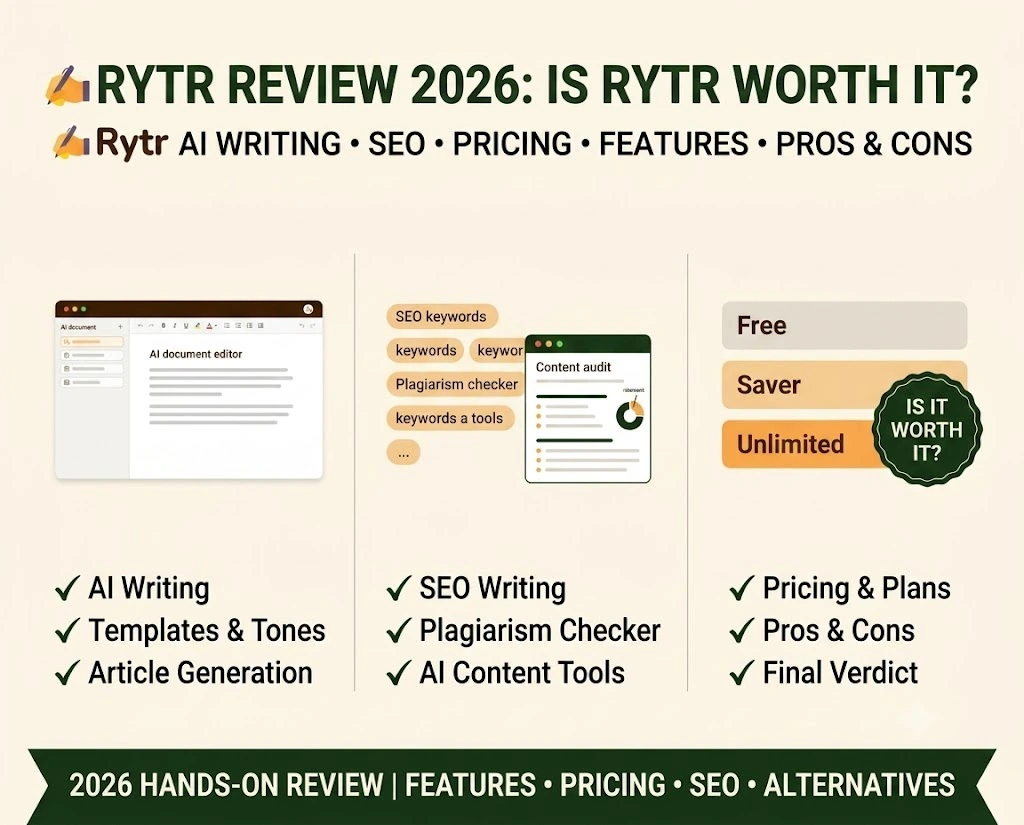
I want to be honest with you before we even get into the features.I wasn’t trying Rytr because I was curious about AI tools. I tried it because I was overwhelmed. Five blog posts to do in a week, a client asking why my drafts seem “flat,” that particular panic of a blank page where you stare at your cursor and your brain just won’t cooperate. If you have been there, you know the feeling I am talking about.
So this isn’t a detached, spec-sheet Rytr review. Here’s what actually happened when I actually leaned on Rytr during a rough month, what it got right, what frustrated me, and if I think it’s worth your money. If you’re looking for a real Rytr AI review and not some rehashed features page, and wondering if Rytr can really save you time without making your writing sound hollow, I think you’ll find your answer here.
What Is Rytr AI? An Overview of the AI Writing Tool
Rytr has existed since 2021 and earned its stripes as the budget-friendly, no-fuss option in a sea of expensive, overcomplicated AI writing tools. It does not pretend to be all things. It doesn’t chase the “full content platform” tag like some of its rivals. It doesn’t try to do everything. Its main job is helping you write copy quickly, using templates and tone settings without a steep learning curve.
That’s the kind of simplicity that so many freelancers, students and small business owners count on. You are not signing up to a 45-minute onboarding tutorial. You open it, pick a use case, put in some details and it writes.
Rytr runs on GPT-based language models under the hood, and it supports more than 30 languages, which honestly surprised me the first time I tested it in something other than English.
Rytr Features: What Does Rytr AI Do?
Here’s what I actually clicked on and used during the weeks I relied on this tool, rather than simply repeating what’s listed on a features page.
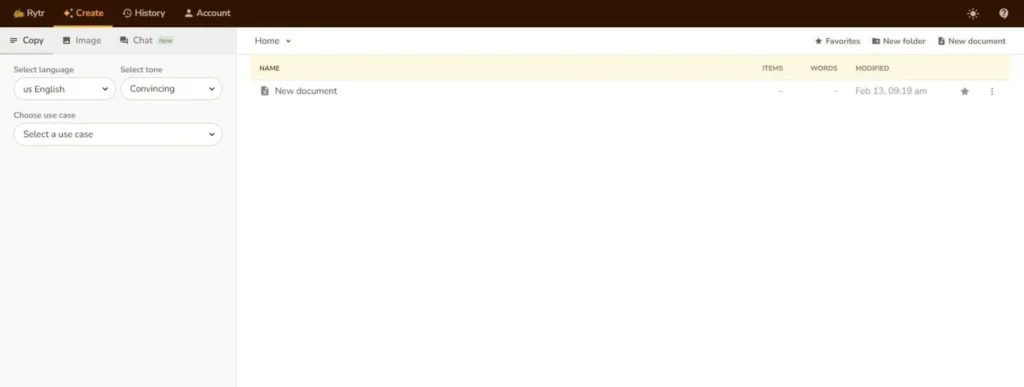
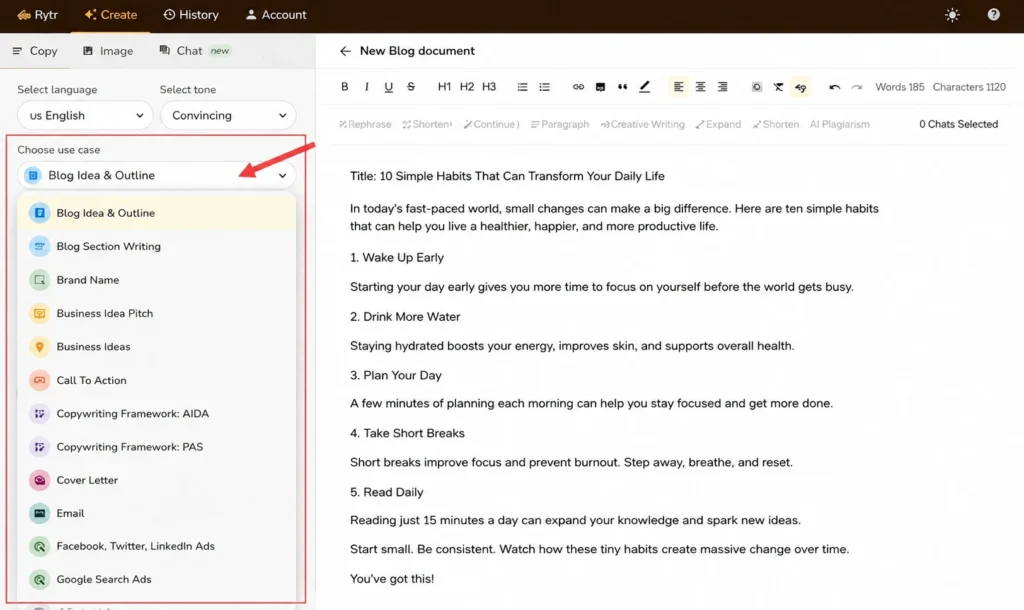
Use Cases & Templates: Rather than offering just one blank prompt box, Rytr organizes its writing tools by “use case. There are 40+ templates, including blog ideas, blog outlines, product descriptions, email copy, social captions, and more. Starting from a template really helped me get unstuck when I was too fried to think of a structure myself.
Tone Selection: Before it produces anything, you can choose from dozens of tones persuasive, witty, formal, empathetic and more. I found this surprisingly useful for client work, where the same fact needs to sound totally different depending on who’s reading it.
Rytr Chat: Rytr’s conversational AI, similar to ChatGPT and designed for interactive brainstorming, not single-turn generation. If you have a topic but need help with the angle, this is where I spent a lot of time.
Built-In Plagiarism Checker: This is more important than people think. “You can run every draft through a plagiarism check before you publish, which gave me real peace of mind on client deliverables where originality isn’t optional.”
Text-to-Image: Rytr also has rudimentary AI image generation for blog headers and social graphics, so you’re not always jumping to a separate tool just for a featured image.
Browser Extension & Integrations: A Chrome extension allows you to generate text directly in Gmail, Google Docs and other web apps and depending on your workflow integrate with tools like Zapier and WordPress.
I’ll be honest, it doesn’t have the auditing of sites or training of brand voices you get with more expensive platforms. But if what you need is “help me write this faster without losing my voice,” well, it does that job well.
Rytr GEO & SEO Features: Is Rytr Good for SEO?
I want to be honest with you here because I know you might be comparing this against tools that promise the world on SEO. Rytr is not intended to be a heavy-duty SEO or GEO (Generative Engine Optimization) platform, and it doesn’t claim to be. There’s no dedicated AI visibility tracking for things like Google AI Overviews or the larger, pricier suites.
What it does have is lighter but still genuinely helpful:
SEO Analyzer: On paid plans, this will analyze your draft for keyword usage and readability against basic on-page SEO best practices. Not a full competitor gap analysis but enough to catch glaring misses before you hit publish.
Keyword-aware generation: Give Rytr a target keyword in its blog templates and it’ll naturally work that keyword into the output, sparing you the trouble of stuffing it in later manually.
Content Improver: This tool rewrites sentences that are weak or repetitive. This will help indirectly with readability scores in tools like Rank Math or Yoast after you paste your draft into WordPress.
If you’re looking for deep AI-search-visibility tracking, you’ll probably want to pair Rytr with a dedicated SEO tool and not expect it to be a replacement for one. I think that’s a fair trade-off for what you’re paying and I’d rather tell you that honestly than oversell it to you.
Rytr AI Article Writer Test: My Experience
I didn’t want to simply tell you that it works. I wanted to show you what actually happened when I tested it under real pressure, the same way I test tools before recommending them.
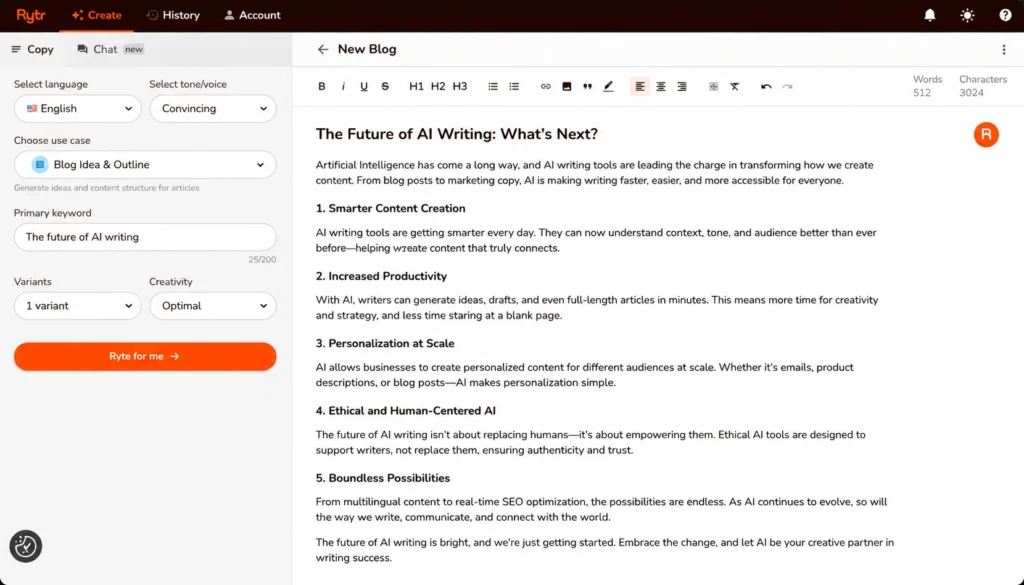
I intentionally chose a blog brief I was already familiar with, so that I could pick up on any inaccuracies without having to fact-check from square one. I was able to get a full rough draft in about four minutes using the Blog Idea & Outline template, followed by the Blog Section Writer.
First, I was impressed with how usable the structure was from the get-go. It wasn’t just a wall of text, it was already broken down into logical sections that I could rearrange. What bothered me was that a couple of the transitions between sections felt stiff, like two different writers had handed off mid-paragraph, and I had to smooth those seams myself.
My honest take on testing this Rytr AI article writer: it’s incredibly fast at getting you from zero to a working draft, especially on a day when your brain is completely empty. But you are the editor. No matter how tempting it is when you’re exhausted and ready to hit publish, don’t skip that step.
If you’re interested in how a more serious, GEO-centric competitor handles this type of brief, I did a side-by-side comparison in my Writesonic review, which may help you determine which tool best suits your workload.
Is Rytr Good for SEO Articles?
Here is my honest answer, not a marketing answer: Rytr is good for getting a keyword aware draft written quickly. But this is no replacement for real SEO strategy.
If your biggest hurdle is just getting words on the page around a topic and keyword, Rytr removes that friction quickly.
But it won’t tell you what your competitors are ranking for, it won’t audit your technical SEO, and it won’t track how you’re showing up inside AI chat answers. And that’s okay, you’ll want to pair it with a dedicated SEO tool for that.
Not all tools have to do everything. And honestly I would rather have one tool that is good at writing and one tool that is good at strategy than one so-so tool that tries to do both.
Rytr Pricing: Is Unlimited Really Unlimited?
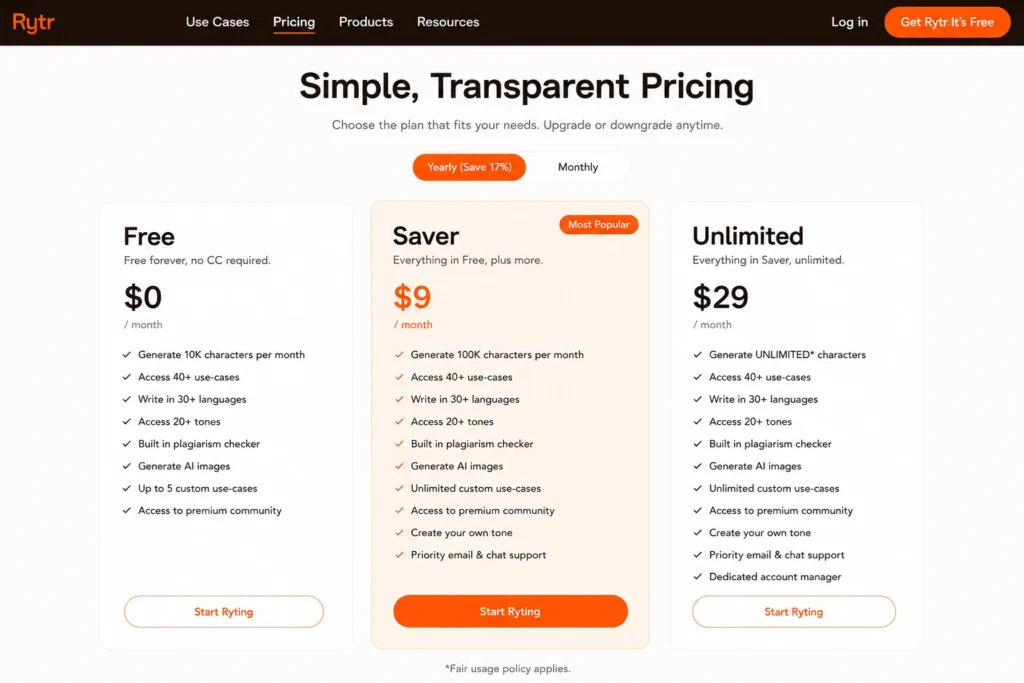
I understand, budget is probably a real factor for you, because it was for me too when I first signed up. So, here’s what Rytr pricing looks like right now:
Free Plan: You get about 10,000 characters of generation each month, access to core templates, and a limited use of the plagiarism checker. Honestly, this is enough to see if you like the tool’s writing style before you spend a dime.
Saver Plan: About $9 per month (billed monthly) or lower effective rate if you pay annually. This allows for unlimited generation on most use cases, all tones and languages, and the full plagiarism checker.
Unlimited Plan: Rytr’s highest self-serve tier, designed for heavier users, freelancers, and small agencies creating content daily.
Now, on that word “unlimited” — I want to be honest with you here instead of just repeating the marketing copy.
In practice, most short and medium-form use cases (like blog ideas, emails, product descriptions and similar templates) are covered by “unlimited,” but Rytr does still have fair-use limits on longest-form generations, so it’s not a literal no-ceiling-anywhere plan.
I also saw a few reviews on Trustpilot describing frustration at being charged after canceling and difficulty getting a refund sorted. I never saw it personally in my testing, and it wasn’t a pattern I saw repeated often in the higher-volume G2 reviews, but it’s fair for you to know before you hand over your card details — set a calendar reminder if you’re planning on canceling, and confirm the cancelation went through.
Compared with some higher-priced AI writing and content platforms, Rytr is one of the more approachable entry points in the market.Check Rytr’s official pricing page for the fine print on fair-use caps and the precise current numbers before you commit.
Rytr vs Writesonic for Bloggers
If you’re comparing this specifically to Writesonic, here’s the honest split I’d give you as a blogger. Writesonic is for the user who wants SEO scoring, technical site audits and GEO/AI-visibility tracking all rolled into their writing tool – it costs more, but it does more behind the scenes. Rytr is for people who want quick, clean drafts and don’t want to pay for a full SEO suite they may never fully use.
In my own testing, Rytr got me to a usable draft a little faster, since its templates are simpler and more narrowly scoped, while Writesonic’s article writer produced longer, more research-heavy first drafts that needed less restructuring but took a little more setup time. Rytr is the more comfortable fit if you’re a solo blogger on a budget who mostly needs help beating the blank page. But if you’re running a content calendar where SEO competitiveness and AI search visibility are really important, Writesonic’s higher price point starts to make more sense. I go much deeper on that side of things in my Writesonic review.
Rytr vs ChatGPT for Blogging
I get asked this all the time too, so I’ll answer it the way I would to a friend, not a search engine.
ChatGPT is more versatile. It can write pretty much anything . It can hold a longer conversation . It can respond to nuanced instructions in a way that feels more like reasoning . ChatGPT can definitely do what Rytr does, and often for free, if you’re willing to prompt carefully and build your own structure.
But here’s what I saw in my own workflow. Rytr’s templates cut down on decision fatigue. When I’m worn out, the last thing I want to do is write a perfect prompt from scratch. I want to click on “Blog Idea & Outline” and fill out three fields and get going. That’s what Rytr actually gave me, not raw intelligence but friction removal on those days I had the least energy to fight through it myself.
So here’s my honest take on Rytr vs ChatGPT for blogging: If you love coming up with prompts and want maximum flexibility, ChatGPT is the winner. If you are looking for structure to be fed to you so you can run faster with less mental overhead, Rytr earns its place, especially for the price.
Is Rytr Legit?
I know this was my question before I paid for anything, and probably yours too, so here goes. So let me answer it straight, yes Rytr is a legit company and is established, not a scam.
I had a few things that gave me real confidence here, not just a gut feeling:
It has been around for many years. Rytr has been around since 2021 and has millions of registered users worldwide, something a fly-by-night operation does not manage to build.
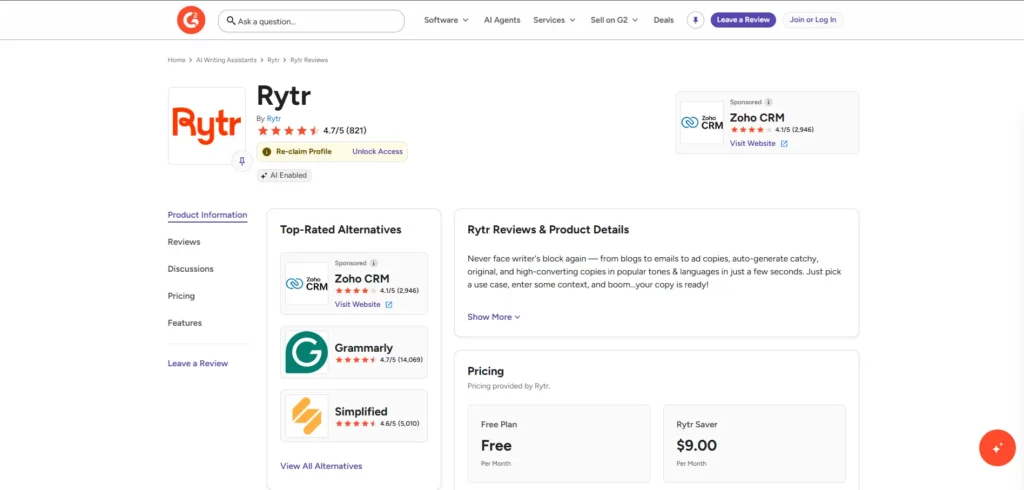
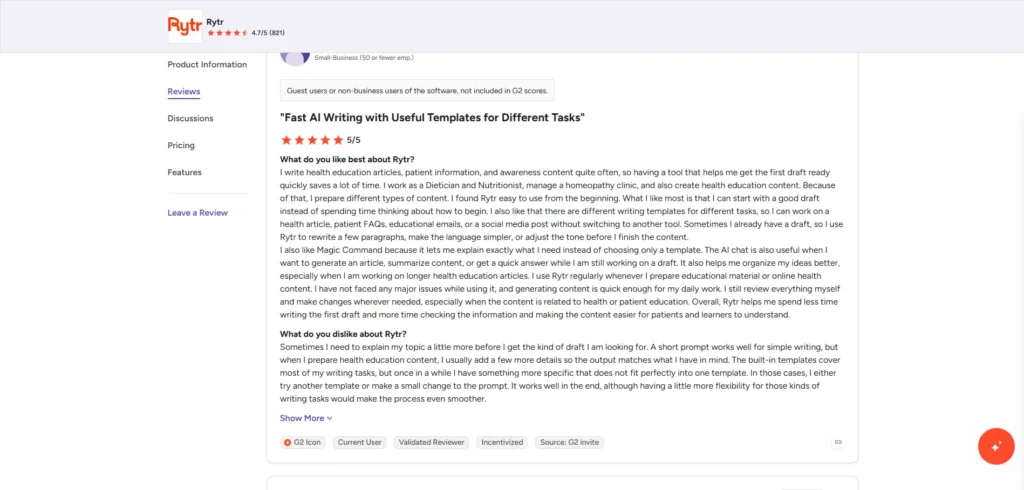
Reviews confirm it.At the time of writing, Rytr has a 4.7/5 star rating on G2 based on 800+ verified reviews. Users have always praised the ease of use and how quickly they can get started with Rytr. You can see the raw feedback yourself on Rytr’s G2 reviews page.
Billing was transparent. I have never had a surprise charge or a hidden renewal trap when using it. The free plan is truly free, no card required, which is more than I can say for a lot of “free trial” tools that sneakily require a credit card up front.
The complaints that I did see were justified. Some longer-form users want to see deeper SEO and research tools. I think that’s an important distinction. That’s a feature request complaint, not a trust complaint.
My honest take after using it during a really stressful month: Rytr is legit and it delivered on what it promised without trying to oversell itself as something bigger than it is.
Rytr AI Alternatives for Copywriting
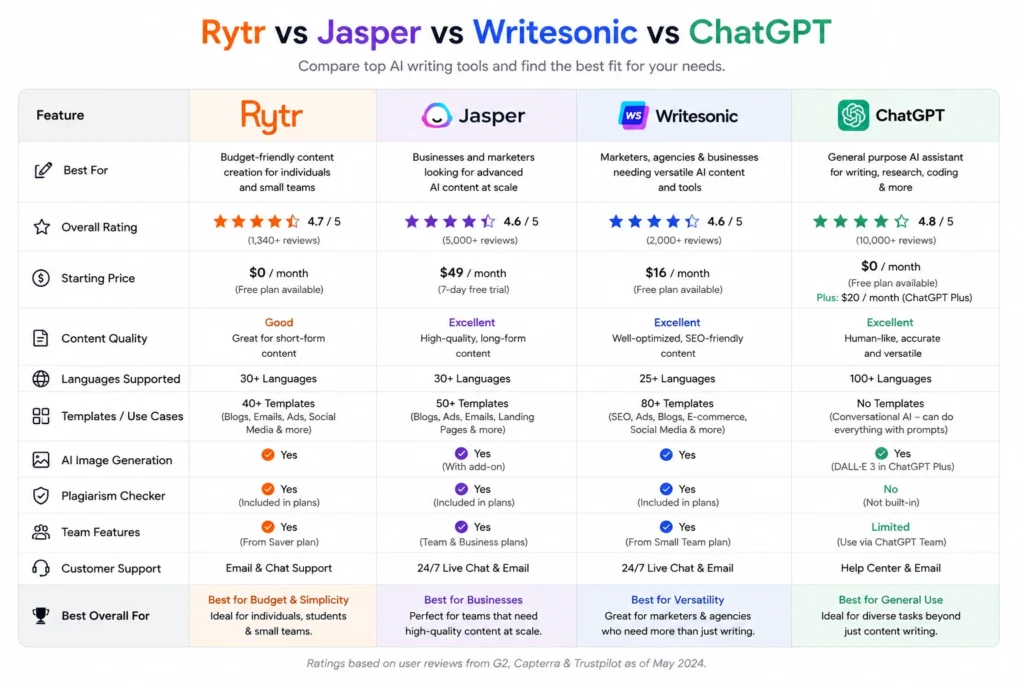
Rytr isn’t the only budget-friendly AI writer out there, and depending on what you need, one of these Rytr alternatives may be a better fit.
Writesonic: pricier, but has deeper SEO auditing and GEO/AI-visibility tracking if that’s a priority for you. I detailed that in my Writesonic review.
Jasper: Better for bigger marketing teams who want a consistent brand voice across many writers, but much more expensive per seat.
Copy.ai: Now leaning more into broader go-to-market workflows, less into pure writing, but steeper pricing at higher levels.
Frase: Better if research and outlining from top-ranking content is your main priority rather than raw drafting speed.
ChatGPT (Free or Plus): The most versatile option if you’re happy to develop your own prompts and don’t need built-in templates or a plagiarism checker.
If you are looking at budget and simplicity as your top priorities, Rytr still holds its own against this whole list. If you need deep SEO or brand voice infrastructure you’ll probably grow out of it eventually and that’s a fair trade to know going in.
Pros & Cons – My Honest Summary
Pros:
- Really fast at getting you from blank page to working draft, especially useful on low energy days
- The most affordable AI writing tool on the market, with a real free plan
- Built-in plagiarism checker provides real peace of mind on client work
- One selection makes the same content feel appropriate for different audiences.
- So simple there’s almost no learning curve.
Cons:
- SEO and GEO tools are not as powerful as dedicated tools like Writesonic
- Occasional abrupt transitions between AI-generated sections that require manual smoothing
- Not a deep brand-voice training for larger teams
- Not configured for technical site audits or competitor content gap analysis
Final Verdict: Should You Use Rytr in 2026?
Having used this tool a lot during one of my busier months at work, here’s where I landed: Rytr isn’t trying to be the biggest and most powerful AI writing platform, and I actually respect that. It knows exactly who it’s for, solo creators, freelancers, students, and small businesses that need to move fast without paying for features they’ll never use.
If you need deep, SEO auditing or AI search visibility tracking, you’ll outgrow it. It’s OK to know that upfront instead of after you’ve paid. But if you need a quick, cheap way to overcome the blank page on the days your brain just won’t cooperate, I totally understand why so many people turn to Rytr, because I turned to it too, and it helped.
I’ll keep on updating this Rytr review with any pricing and features changes that occur throughout the rest of 2026.
FAQs
Is Rytr AI free? Yes. The free plan provides you with about 10,000 characters per month, no credit card is required, and this is enough to really see if it works for you and your writing style.
What is the Rytr pricing in 2026? Plans range from a free tier to the Saver plan at around $9/month and an Unlimited plan for heavier users above that. For exact current numbers see Rytr’s official pricing page.
Is Rytr Legit or a Scam? It’s a legitimate company that has been operating since 2021, with a rating of 4.7 out of 5 based on 800+ verified G2 reviews. Most complaints are regarding depth of features not trust or billing issues.
Rytr vs ChatGPT for blogging: Which one should I choose? If you’re okay writing your own prompts, you get more versatility with the chatbot. If you want ready-made templates and tone settings to eliminate decision fatigue, Rytr is faster.
Rytr vs Writesonic: Which is the best for Bloggers? If you want the fastest and cheapest, Rytr is the best. Writesonic is better if you want SEO scoring and AI-search-visibility tracking bundled in and you’re willing to pay more for it.
Is Rytr good for SEO articles? It’s good for keyword-aware drafting and basic onpage checks, but it is not a substitute for a dedicated SEO tool if you need competitor research or technical audits.
What is the best Rytr AI alternative for copywriting? It is contingent upon what you want. Writesonic suits deeper SEO and GEO needs, Jasper suits larger teams, and ChatGPT suits anyone comfortable prompting from scratch.
Discussion (0)
No comments yet. Start the discussion below!
Leave a Comment