
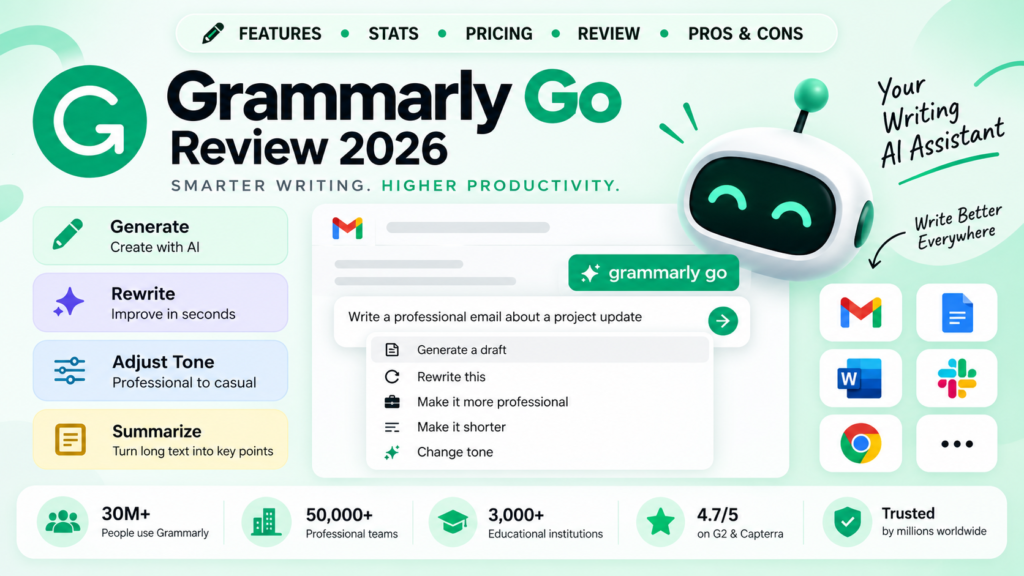
Grammarly Go is the generative AI layer built into Grammarly. Instead of only fixing grammar and spelling, it drafts, rewrites, and adjusts tone on demand, right inside the same editor I already use every day.
My rating: 4.3/5 based on real daily use, not a quick demo.
My First Impressions
The first thing I noticed about Grammarly Go is that it does not feel like a separate app bolted onto Grammarly. It shows up right inside the same editor bar I already use for grammar checks, so there was no learning curve on day one.
My first prompt was a simple one: rewrite a blunt email reply into something friendlier. It gave me three tone options in under five seconds, and two of them were genuinely usable without editing.
That said, my excitement dropped a little once I tried longer prompts. Anything past a short paragraph started to feel generic, which set the tone for what I found through the rest of my testing.
What Is It?
Grammarly Go is Grammarly’s generative AI writing assistant. It works inside the same browser extension, desktop app, and integrations as regular Grammarly, so there is nothing extra to install.
Unlike Grammarly’s original grammar checker, which only corrects text you already wrote, it creates new text from a simple prompt.
Grammarly built the tool on top of large language models, similar to the technology behind ChatGPT. You can see the full feature list on Grammarly’s official website, though I found the real behavior slightly different from how it is described there.
Key Stats and Usage Numbers
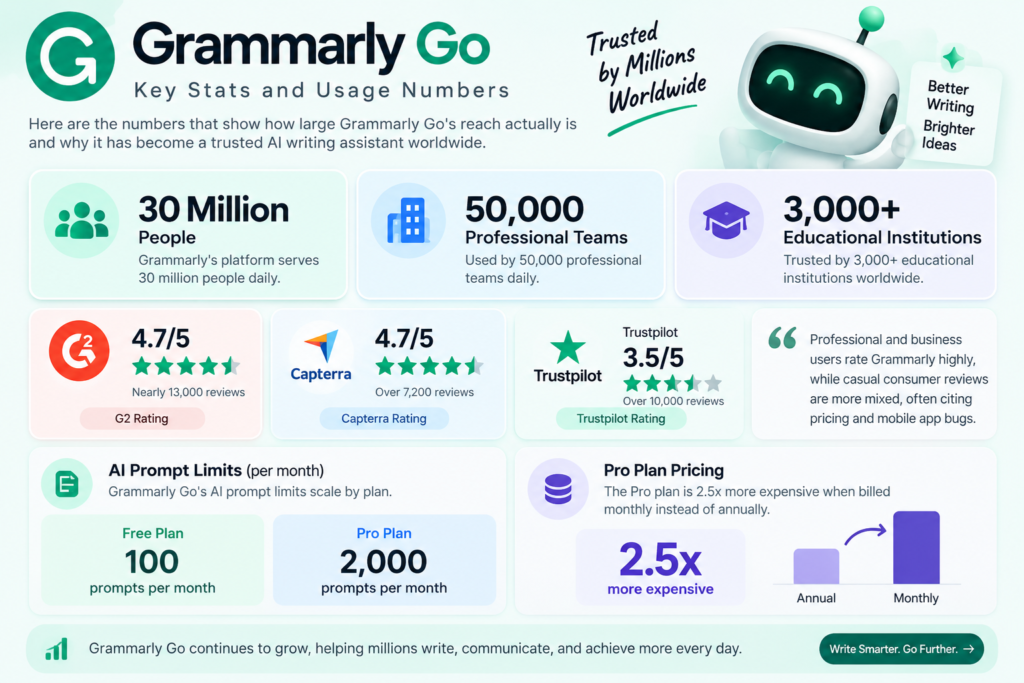
Before sharing my own opinion, here are the numbers that put my experience in context:
- Grammarly’s platform serves 30 million people and 50,000 professional teams daily
- It is used across 3,000+ educational institutions worldwide
- Grammarly holds a 4.7/5 rating on G2 from over 14,000 verified user reviews
- Capterra shows a similar 4.7/5 rating from over 7,200 reviews
- Trustpilot’s consumer score is lower, around 3.5/5 from over 10,000 reviews
- AI prompt limits scale by plan: 100/month on Free, up to 2,000/month on Pro
- The Pro plan is 2.5x more expensive when billed monthly instead of annually
My own experience lines up with that gap between G2 and Trustpilot. I rate the core writing quality highly, but I ran into the same billing and mobile app friction that Trustpilot reviewers mention.
Features I Actually Used
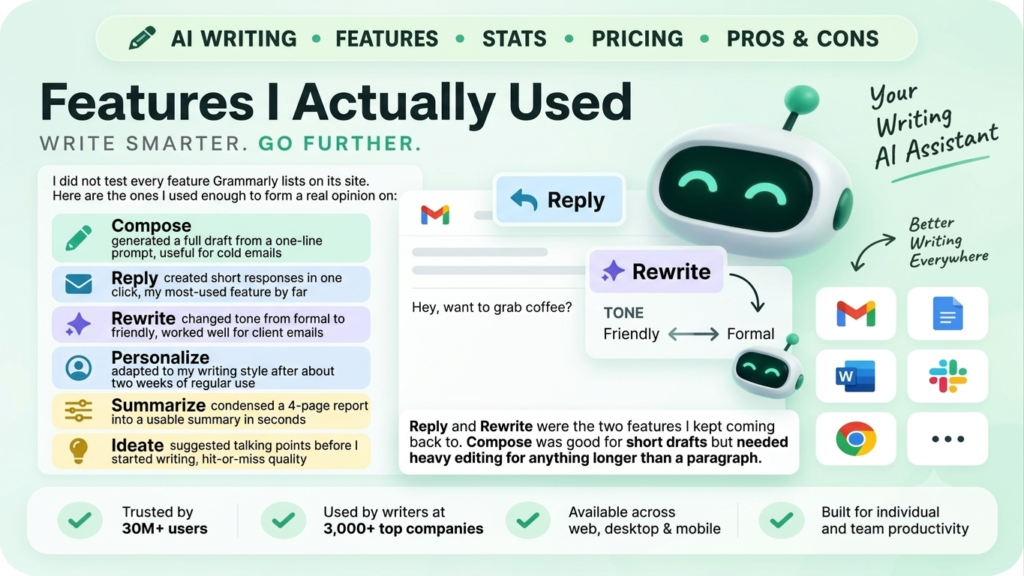
I did not test every feature Grammarly lists on its site. Here are the ones I used enough to form a real opinion on:
- Compose: generated a full draft from a one-line prompt, useful for cold emails
- Reply: created short responses in one click, my most-used feature by far
- Rewrite: changed tone from formal to friendly, worked well for client emails
- Personalize: adapted to my writing style after about two weeks of regular use
- Summarize: condensed a 4-page report into a usable summary in seconds
- Ideate: suggested talking points before I started writing, hit-or-miss quality
Reply and Rewrite were the two features I kept coming back to. Compose was good for short drafts but needed heavy editing for anything longer than a paragraph.
What Worked Well For Me
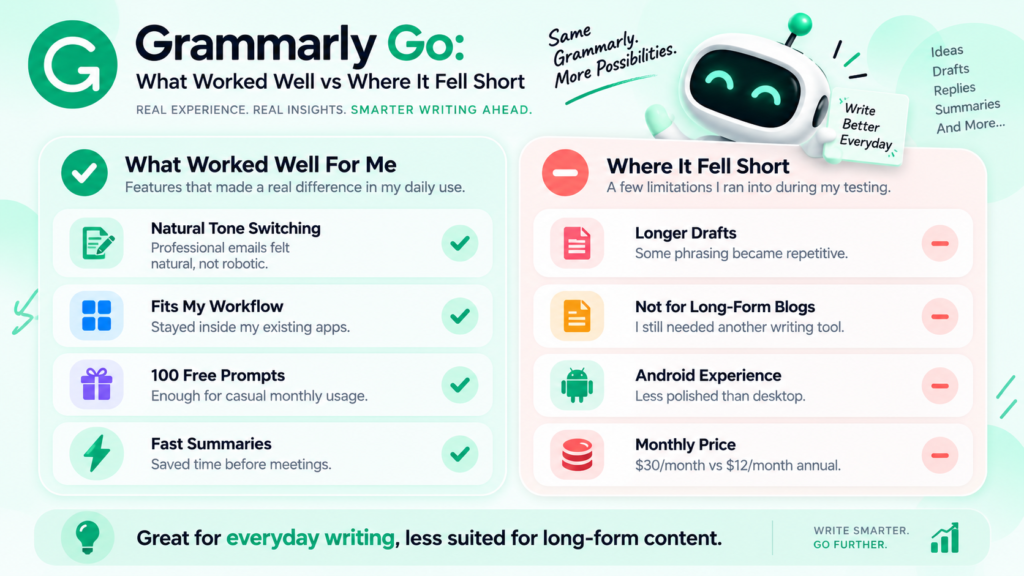
A few things stood out during my daily use over several weeks:
- Tone switching felt natural, not robotic, especially for professional emails
- It stayed inside my existing workflow, so I never lost my train of thought
- The free plan’s 100 monthly prompts were enough for my casual usage
- Summarizing long documents saved me real time before meetings
Where It Fell Short
I also ran into a few frustrations worth mentioning honestly:
- Longer drafts past a few paragraphs started repeating phrasing
- It is not built for blog-length content, so I still needed another tool for that
- The Android app felt noticeably less polished than the desktop version
- Monthly billing at $30 felt steep next to the $12 annual rate
Pricing Breakdown (2026)
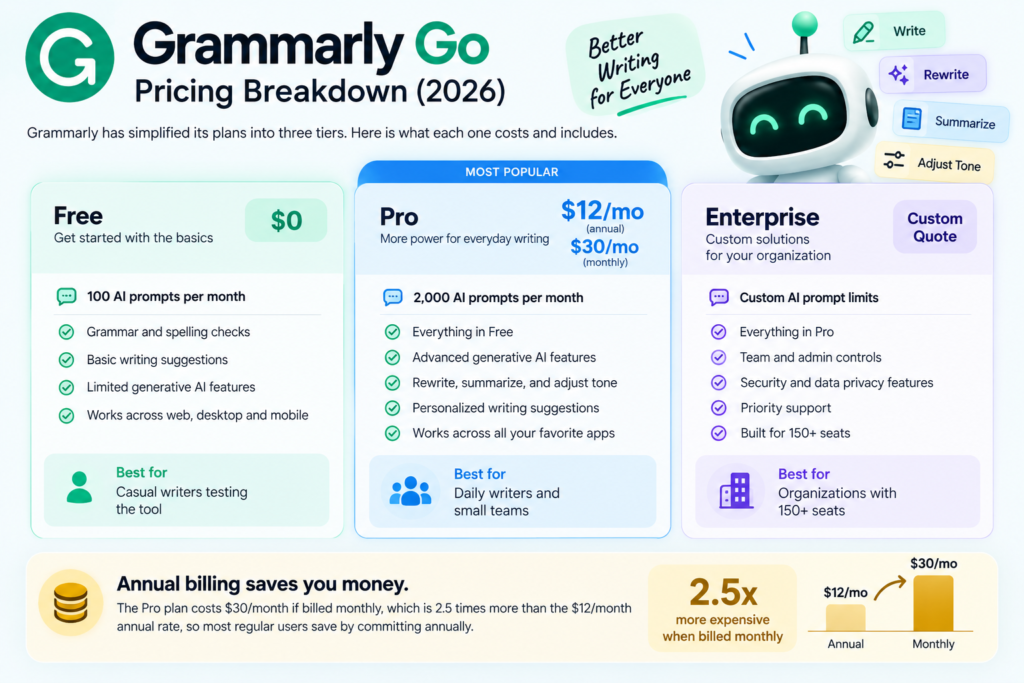
Grammarly simplified its plans in 2026 into three tiers. Here is what I found each one actually includes.
I started on the free plan and upgraded to Pro after about three weeks, once I noticed I was hitting the 100-prompt limit before the month ended.
Comparison With Other AI Writing Tools
Based on my own use, Grammarly Go is convenient because it lives inside tools I already use daily.
Here is where it fits compared to purpose-built AI copywriting tools I have also tested:
- Grammarly Go: best for everyday emails, quick rewrites, and tone fixes
- Anyword: better for predictive, conversion-focused ad and email copy
- Jasper: better for long-form, brand-consistent content across teams
- Rytr: better for affordable, high-volume short-form drafts
If you need dedicated marketing copy or long-form articles, a specialized tool from our Marketing category will serve you better. I also compared it directly in our Anyword vs Jasper vs Rytr breakdown.
For readers weighing Rytr as an alternative, I wrote a hands-on Rytr Review 2026 based on the same kind of daily testing. There is also my full Writesonic Review 2026 if long-form content generation is your priority instead of grammar assistance.
My Final Verdict
After several weeks of daily use, I keep Grammarly Go active for one simple reason: it saves me time on the writing I do every single day, emails, replies, and quick rewrites.
For marketing teams that need dedicated ad copy or long-form content at scale, pairing it with a specialized tool from our AI tools directory works better than expecting one tool to do everything. You can also compare AI writing tools side-by-side if you want to see how they stack up against what I tested.
Frequently Asked Questions
Is Grammarly Go free to use? Yes. The free Grammarly plan includes it with 100 AI prompts per month, which is what I used for my first three weeks of testing.
Is Grammarly Go the same as ChatGPT? No. It is purpose-built for writing assistance inside your existing apps, while ChatGPT is a general-purpose AI assistant.
Can Grammarly Go replace a dedicated copywriting tool? You can compare AI writing tools side-by-side to see which fits your workflow.
How much does Grammarly Go cost per month? It is included free with 100 monthly prompts or unlocked further on the Pro plan at $12/month billed annually, which is the plan I ended up choosing.
Looking for more AI writing tools? Browse our full marketing category, check my Rytr Review 2026, or read my comparison of Anyword vs Jasper vs Rytr for more copywriting options. For a broader look at how tools stack up, see our Best AI Comparison Tools in 2026 roundup.
Discussion (0)
No comments yet. Start the discussion below!
Leave a Comment